
TOOL REVIEW • PRICE CHECKED OCTOBER 2026
The vendor’s own cost maths, checked line by line — and where a $67 one-time purchase stops being enough.
The Verdict At A Glance
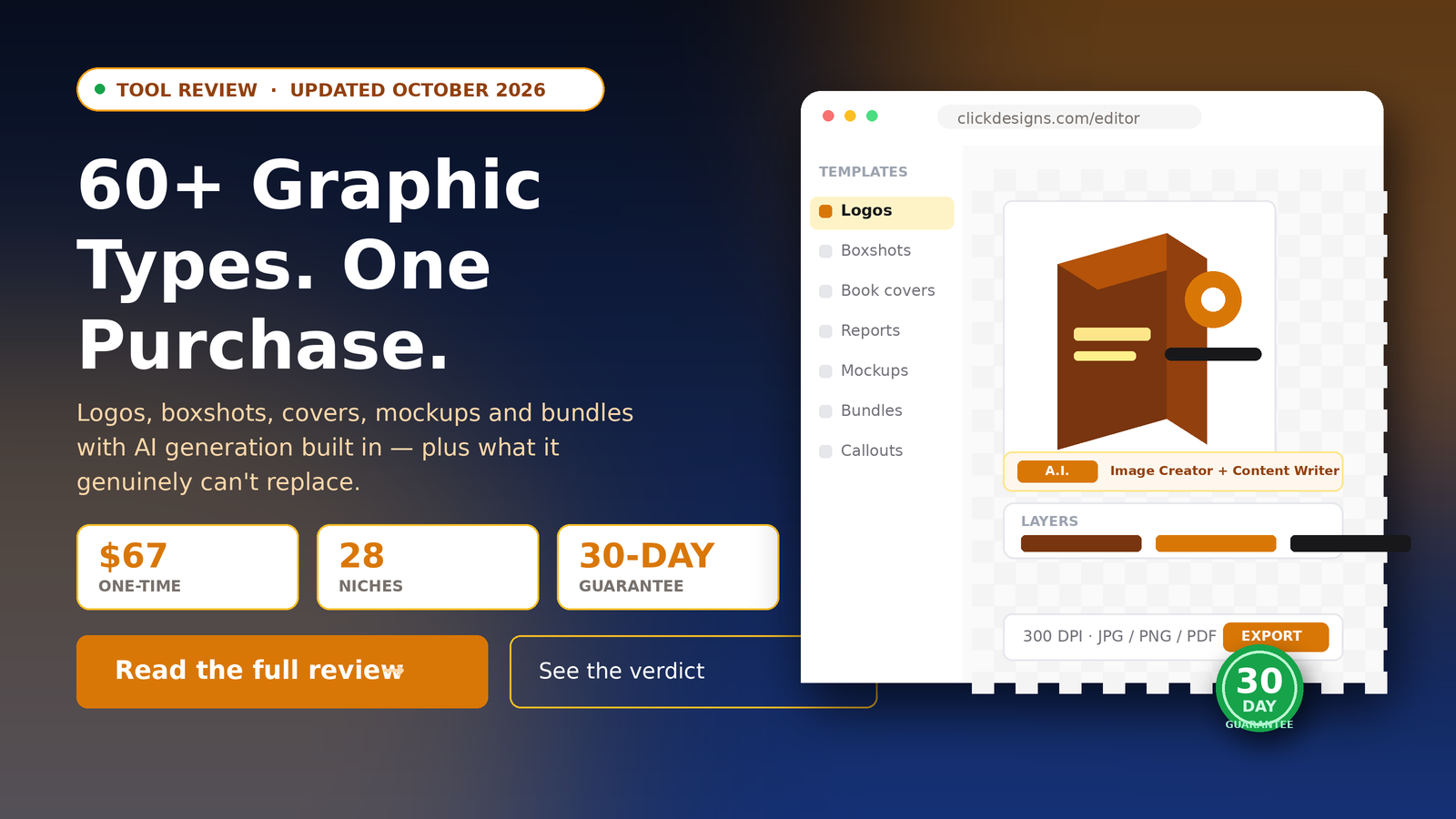
Editor rating: 4.0 / 5 | Price: $67 one-time | Subscription: None | Guarantee: 30 days
Best for: Solo creators and small teams shipping weekly who need volume marketing graphics — boxshots, covers, mockups, bundles — and who are not selling bespoke brand identity work.
Who should skip it: If you need a real logo, a custom illustration style, or art direction. This assembles marketing assets from templates; it does not originate a brand. Agencies doing genuine client creative direction should keep their designer — the tool produces competent volume, not distinctive work.
60+
Graphic types
28
Niche categories
300
DPI export
The Pricing (Checked October 2026)
ClickDesigns is sold through JVZoo, and the price moves. At the time of writing the vendor lists a regular price of $197/year with a JVZoo exclusive deal at $67. There is a further $20 off coupon (code CD20OFF) listed on the sales page, which brings the effective entry price lower again.
Practical advice: read the price on the checkout page the day you buy, not the price quoted in a review. If a “lower” price is promised later, wait only if the discount genuinely matters — at $67 the difference is small, and this offer has reset repeatedly.
Critically, there is no monthly or annual fee and no subscription. It is a one-time purchase with unlimited use.
The Vendor’s Cost Argument
ClickDesigns builds its pitch on what graphics cost elsewhere. The vendor publishes specific figures for stock imagery, freelance minimums and the cost of hiring in-house. Those are the vendor’s own numbers, so treat them as marketing claims rather than independent research — but the shape of the argument is reasonable, and you can sanity-check it against your own quotes.
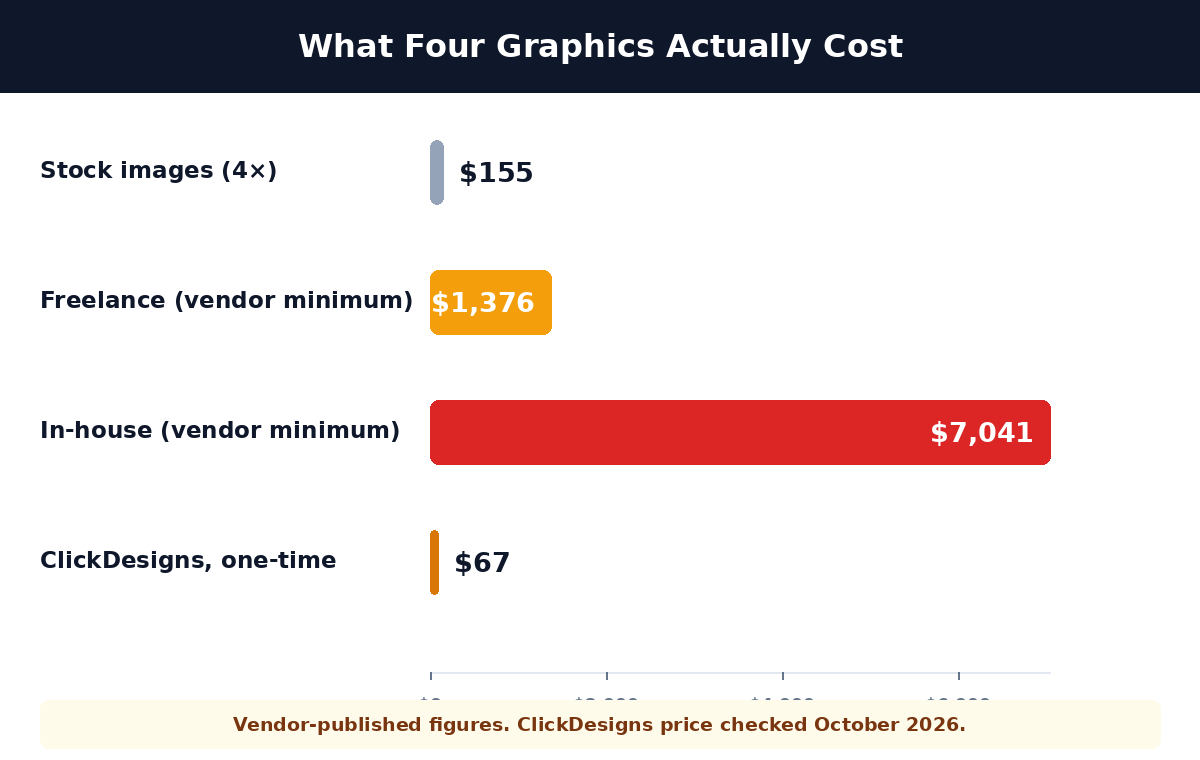
The strongest version of the case is the mid-range one. A single boxshot outsourced sits around $97 by the vendor’s minimum pricing. Four of them is roughly $1,376. If you are buying graphics repeatedly, that is the comparison that matters — not the $7,041 in-house figure, which assumes a full-time designer, coder and webmaster.
What You Actually Get
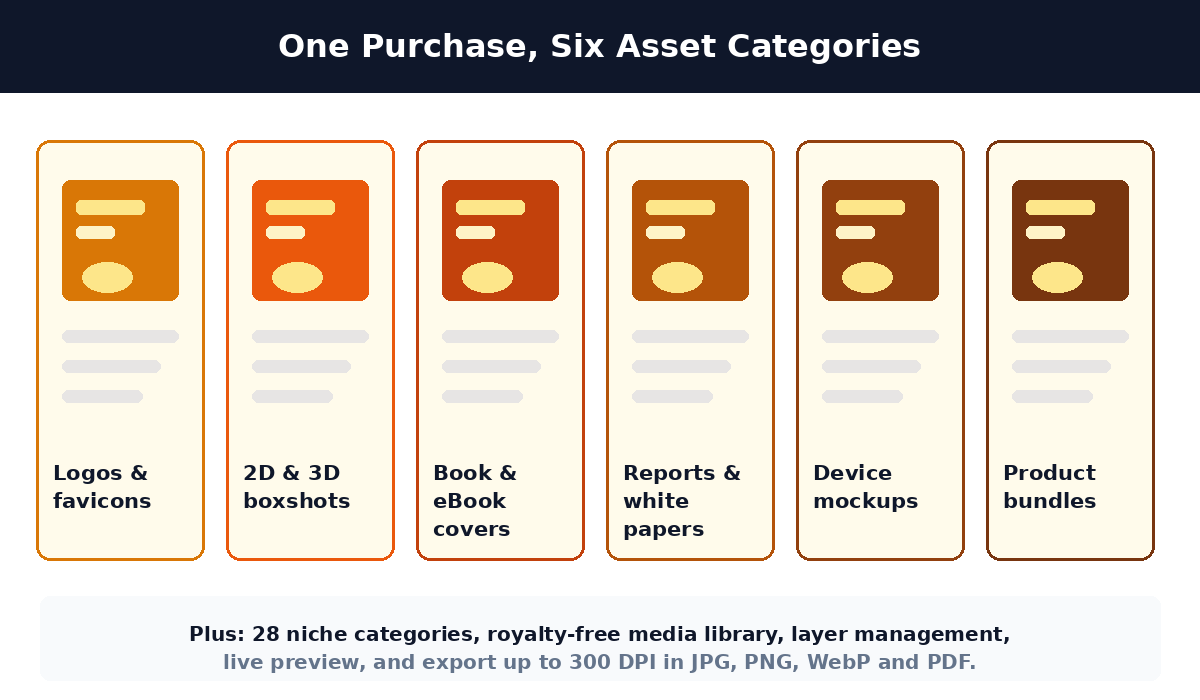
| Category | What it produces |
|---|---|
| Logos & favicons | Template-based logo marks and favicons |
| 2D & 3D boxshots | Product box renders in 2D and 3D angles |
| Book & eBook covers | Cover designs across genres |
| Reports & white papers | Document and eCourse presentation graphics |
| Device mockups | Monitors, laptops, tablets, phones, watches |
| Product bundles | Multi-product group shots |
Beyond the templates: 28 niche categories, a royalty-free media library, layer-based editing (isolate, hide or delete elements without breaking the rest), live preview inside the dashboard, and export up to 300 DPI in JPG, PNG, WebP and PDF.
The AI Features Are Real, And Modest
- A.I. Image Creator — generates images from a prompt instead of picking a template. This is the genuinely useful part for someone without a large asset library.
- A.I. Content Writer — headline, call-to-action, tagline, paragraph, feature stack and benefit-bullet generators, so copy sits next to the design rather than in another tab.
Where It Falls Short
- The heavy template library is both the point and the ceiling. You are working inside presets. Highly custom layouts fight the tool, and the output reads as competent rather than premium — clean and professional at arm’s length, not the kind of design your audience notices as good.
- It is not a logo designer. A template library produces marks that look like other marks. If your brand identity matters more than your output speed, this is the wrong purchase.
- The discount cycle is permanent. The $197 → $67 structure resets regularly. If you wait for a better price you wait indefinitely, and the $72 difference between tiers is small enough not to be worth optimising.
- English-only interface. Graphics themselves are language-flexible; the editor is not translated.
- The $997 bundle-template bonus is listed, not demonstrated. Bonus items on sales pages are worth checking individually before you assume value.
Who Should Skip It
Skip it if you need genuine brand identity work — a real logo, an illustration system, packaging design. This produces volume marketing graphics, not art direction. And skip it if you publish rarely enough that graphics are not a recurring cost: at four or five assets a year, a designer invoice is cheaper than learning a new tool.
The Honest Assessment
The case for ClickDesigns is throughput, not quality. If you currently wait on a designer or a stock subscription for every thumbnail, cover and mockup, the binding constraint is time and unit cost, not taste — and this removes both. Pay once, keep it as a volume production line, and spend your design budget where it actually differentiates.
Against that: the output is template-bound, the pricing theatre is loud, and it will not make your brand look designed. For a creator publishing weekly with an existing offer, that trade is clearly worth $67. For someone building a brand from scratch, it is the wrong order of operations.
Frequently Asked Questions
How much does ClickDesigns cost?
At the time of writing the vendor lists $197/year regular, with a JVZoo exclusive deal at $67 one-time, plus a $20 off coupon. There is no subscription. Check the checkout page on the day you buy, because this offer resets.
Is ClickDesigns cheaper than Canva?
Different purpose. Canva is a general design suite you rent monthly and learn over time. ClickDesigns is a one-time purchase aimed specifically at marketing graphics, with 3D boxshots and mockups that Canva does not natively produce. If you already know Canva well and publish less often, Canva Pro is the better buy.
Do I keep access forever?
Yes — one-time purchase, unlimited use, no monthly or annual fees. There is no subscription to cancel.
Can I use the graphics commercially or resell them?
The vendor states commercial rights with full ownership of the graphics you create, including selling the designs themselves. As always, confirm the licence wording on the checkout page before relying on it for client work.
Will it make my logo?
It gives you template-based logo marks. That is enough for a favicon or a placeholder, not enough for a brand you intend to be recognised by. If the logo matters, use a real designer.
What if I don’t like it?
30-day money-back guarantee. Use it on real projects, and if the output isn’t at the level you need, request a refund within 30 days. Note that the vendor’s own terms say designs created during the trial period remain yours to keep and reuse.
Still Paying Per Graphic?
One-time purchase · No subscription · 30 days to change your mind
30-day money-back • One-time payment • Commercial licence • Secure checkout
Affiliate disclosure: This page contains affiliate links. If you buy through them, we may earn a commission at no extra cost to you. That funds the review and does not change our opinion. Pricing was checked on the vendor’s own sales page in October 2026 — read the checkout price on the day you buy, since this offer resets regularly. This review is based on vendor documentation and published pricing, not a hands-on trial.

The Human Bot Review Desk
AI tooling specialist and operator. I build businesses on AI and digital infrastructure, and I review the tools that run them. How we review →
This page contains affiliate links. We may earn a commission at no extra cost to you. That funds the site and never changes the verdict.