
TOOL REVIEW • UPDATED OCTOBER 2026 • TUBE MAGIC BY MATT PAR
A documentation-based review: what the vendor claims, what creators report, where it genuinely falls short, and whether $47/month is justified.
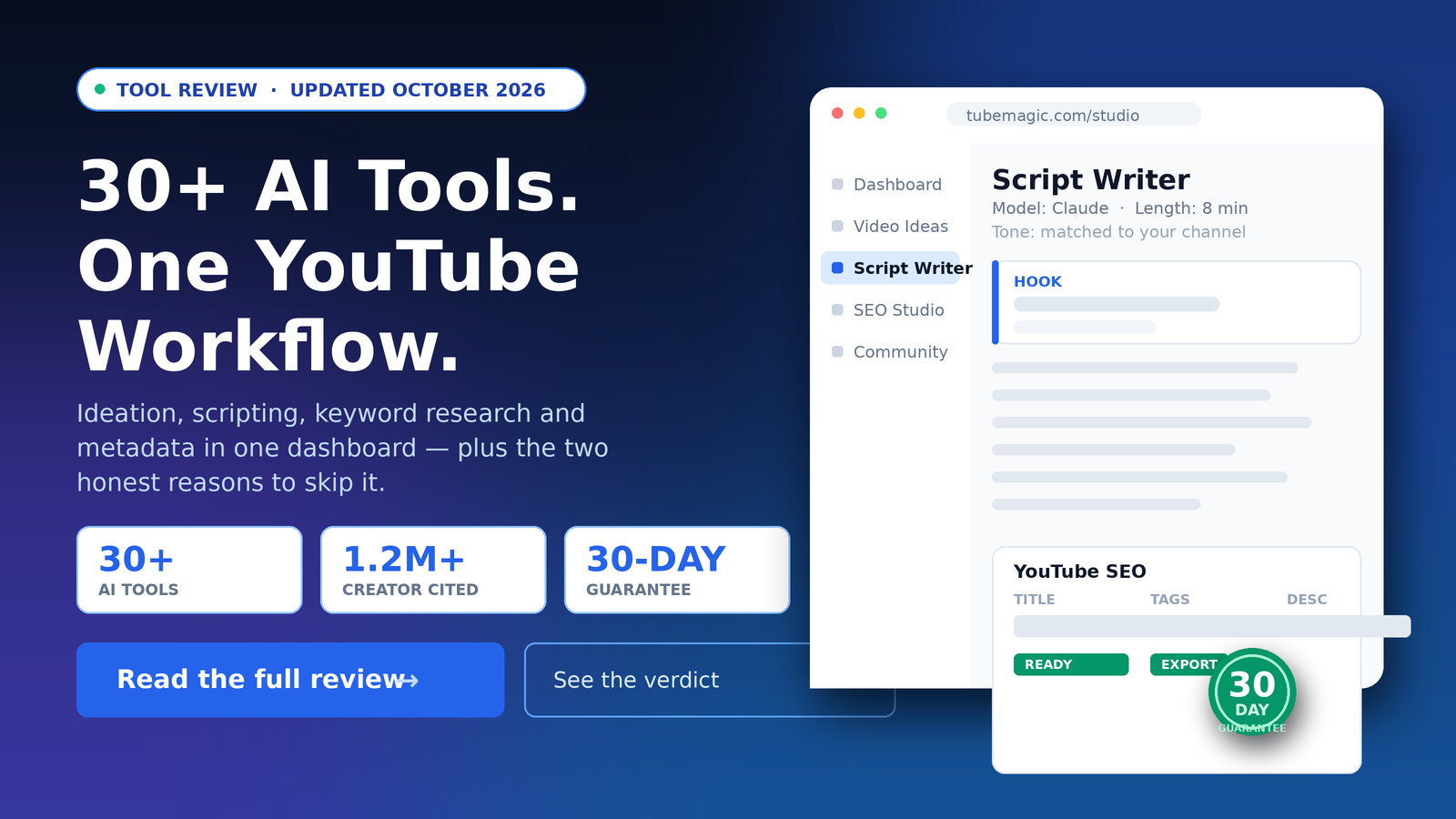
The Verdict At A Glance
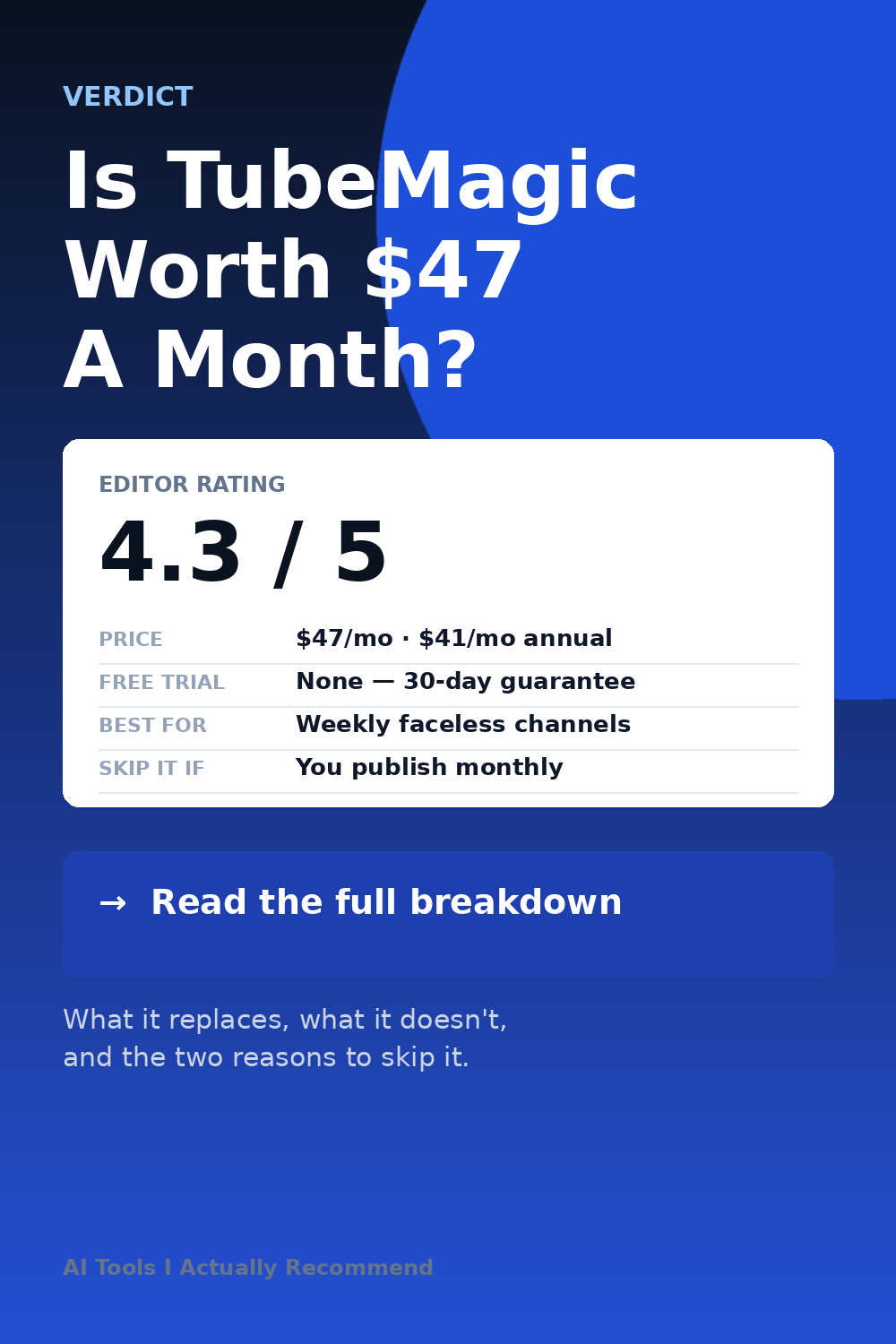
Editor rating: 4.3 / 5 | Price: $47/month or $41/month annual | Made by: Matt Par | Guarantee: 30 days
Best for: Faceless channels and solo creators publishing weekly who need ideation, scripting and metadata without leaving one dashboard.
Who should skip it: If you publish less than monthly, if your audience is non-English, or if you only need a better chatbot. There is no free trial — you rely on the 30-day guarantee instead, so the real question is how fast you can produce with it.
30+
AI tools in one dashboard
1.2M+
Subscribers on the creator quoted
30
Day money-back guarantee
What TubeMagic Is (And Who Built It)
TubeMagic is an AI toolkit built around one specific job: growing a YouTube channel. It is not a general writing assistant. It bundles ideation, scripting, YouTube keyword research, metadata generation and post-production utilities into a single dashboard.
It is built by Matt Par, who runs over a dozen channels and has stated publicly that he spent six figures acquiring and improving the tool. That matters contextually: this is a creator tool built by a creator, not a generic SaaS product retrofitted onto YouTube.
The 30+ Tools, By Production Stage
TubeMagic groups its features into four stages of production. This is the clearest way to understand what you actually get for the subscription:
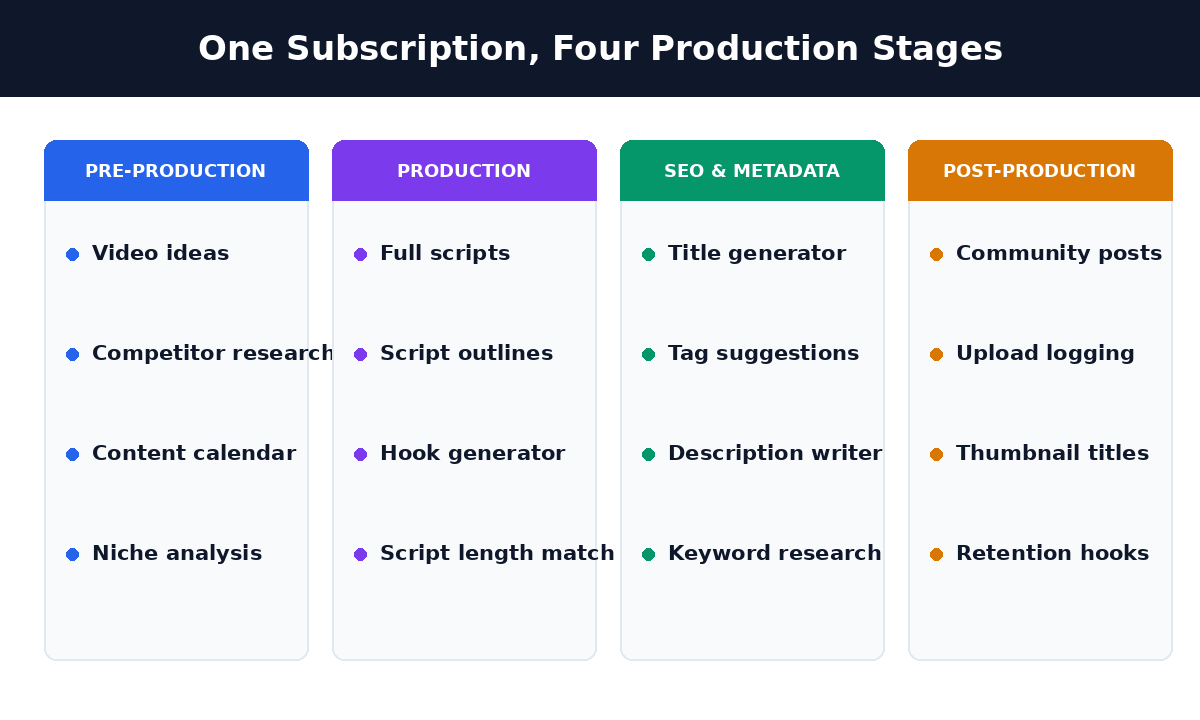
| Stage | What it does |
|---|---|
| Pre-production | Video ideas, competitor research, content calendars, niche analysis |
| Production | Full scripts, outlines, hook generation, target-length matching from 1 to 20 minutes |
| SEO & metadata | Title generator, tag suggestions, description writer, YouTube keyword research |
| Post-production | Community post generator, upload logging, retention hooks |
The Three Details That Set It Apart
- It matches your channel’s voice. Paste your channel link and it picks up your tone automatically, so you are not rewriting every script from a generic template.
- You choose the model. It runs on Claude and GPT-4o, with more models listed as coming. Claude tends to give the more natural read; GPT-4o is faster on short-form.
- You feed it inspiration videos. Give it top-performing videos from your niche and it extracts the structure and merges it with your own angle — useful if you already know what performs in your space.
The Time Cost It Addresses
The bottleneck for most part-time creators is not writing. It is deciding what to write, researching it, and then producing metadata. A 22-minute script budget per video, across eight videos a month, is roughly three hours of production that never gets seen by a camera.
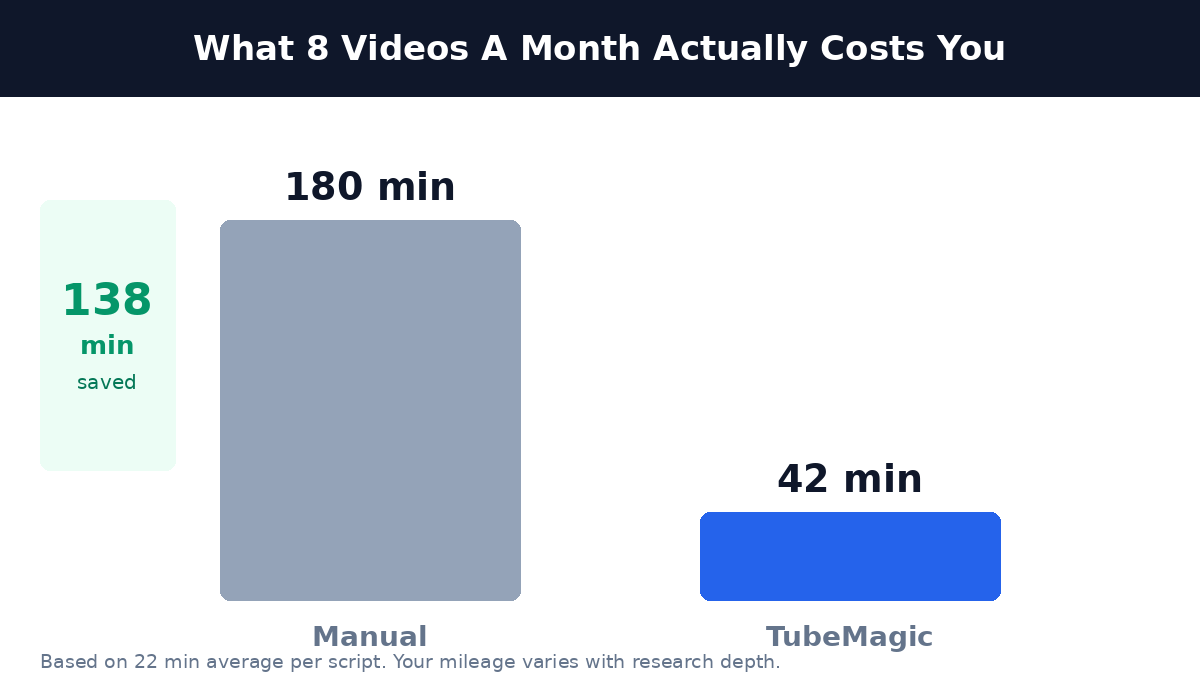
Illustrative figure based on a 22-minute average per script. Actual time saved depends on how much research you do anyway.
Pricing: Monthly vs Annual
| Plan | Price | Annual cost | Verdict |
|---|---|---|---|
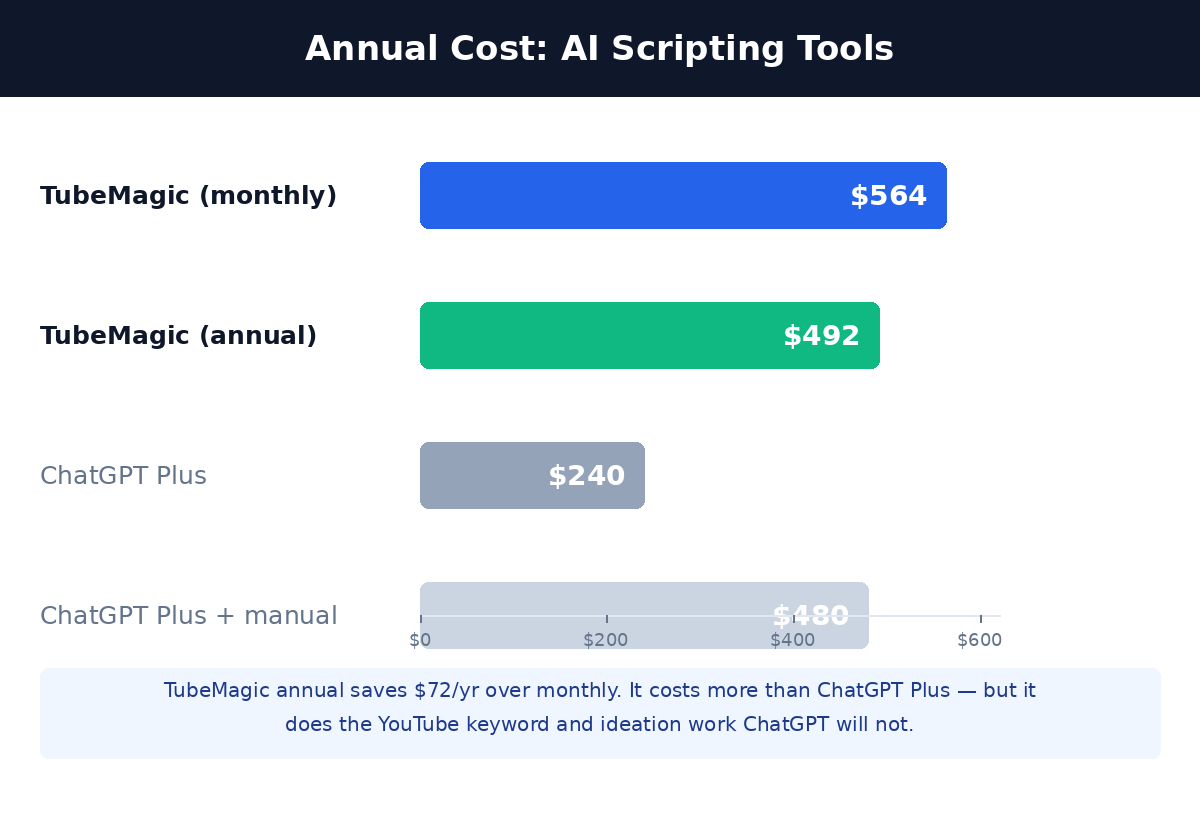
| Monthly | $47/month | $564 | Try this first |
| Annual | $41/month | $492 | Saves $72/year |
Only $72 separates the two plans over a full year. Most reviews recommend committing to annual immediately — that advice is wrong. Start monthly, confirm you can produce weekly, then switch if it sticks. The 30-day guarantee covers the evaluation window either way.
How It Compares
The fairest way to think about TubeMagic is that it sits between a general chatbot and a dedicated YouTube analytics tool. It is more expensive than both, and narrower than either.
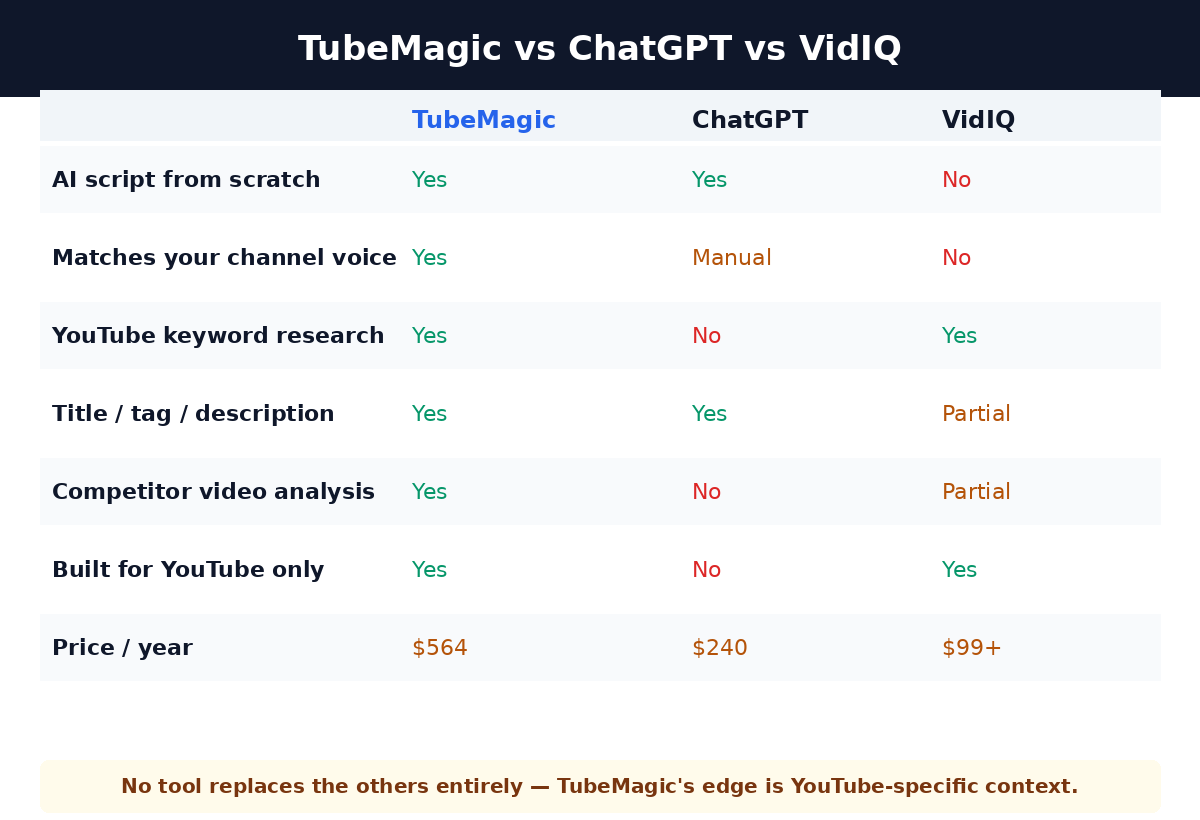
If you already pay for ChatGPT Plus and mainly want better scripts, TubeMagic is an expensive upgrade. If you are starting from free tools and want structured YouTube metadata without learning an analytics platform, the cost is more defensible.
What Creators Report
The vendor’s own page carries testimonials from named creators, each with a channel size attached. They are vendor-published quotes, not independently verified, but they come with numbers rather than adjectives — which is the more useful form:
- Matt Par (12+ channels, 1B+ views) — uses it for ideation; describes the script templates as the core value
- Randolph (1.2M+ subscribers) — cites tags, community posts and descriptions across multiple channels
- AI Guy (182K+ subscribers) — specifically credits the keyword accuracy for search ranking
- Pascio (104K followers) — plans months of content in advance rather than per-video
- Debt Busters (22K subscribers) — frames it as an SEO improvement
These are quotes published by the vendor on its own sales page. They are not independently verified, and a testimonial from a large channel is not evidence of results for a small one.
Where It Falls Short
- No free trial. This is the single biggest friction point. You cannot test it before paying, so the 30-day guarantee is doing all the work — and guarantees are only honoured when a vendor is still operating.
- English-first output. The tools are built around English-language YouTube. Non-English creators get a thinner experience, and there is no equivalent local search data.
- Generic without references. Fed a channel with thin or no history, it has nothing to match. The voice-matching feature is only as good as the channel you give it.
- $564/year without the annual plan is a real number for a side project. If the channel does not move, you are out $564 plus your time.
- YouTube-only. None of this work transfers to Shorts strategy, TikTok, or Instagram Reels. You will need a separate process there.
Who Should Skip It
Skip it if you publish less than weekly — the economics need volume to work. Skip it if you need non-English output. Skip it if you already have a working process that a chatbot handles. And if you do buy it, start monthly and produce weekly for a month before deciding, because there is no trial to fall back on.
The Honest Assessment
The strongest case for TubeMagic is not output quality — general AI models can write a competent script. It is consolidation and context. Matching a channel’s own voice, pulling YouTube keyword data, and generating metadata in the same place is work that otherwise needs three separate tools and a working knowledge of what ranks.
Against that: no trial, an English-first design, and $564 a year if you stay monthly. The guarantee is genuine protection but it is not the same as a trial — you have to spend money and time to find out. For a creator publishing weekly who has never had structured SEO tooling, that trade is usually worth it. For anyone else, it is an expensive way to solve a problem a $20 chatbot subscription nearly solves.
At A Glance
Frequently Asked Questions
Does TubeMagic have a free trial?
No. There is no free tier or trial — the 30-day money-back guarantee is the only way to evaluate it. Start on the monthly plan, not annual, so you can cancel before a longer commitment.
Is TubeMagic worth $47 a month?
If you publish weekly and the time saved is real, roughly 138 minutes a month at eight videos, the cost works out to well under an hour of your time per video. If you publish monthly, it does not pay for itself at any price.
Is it better than ChatGPT for YouTube scripts?
Different, not strictly better. ChatGPT writes a better paragraph. TubeMagic knows your channel’s voice, has YouTube keyword data, and handles tags and community posts — context a general model does not have. Many serious creators run both.
Which AI model does it use?
Claude and GPT-4o, with additional models listed as coming. You can pick per task — Claude for natural long-form reads, GPT-4o for speed on short scripts.
Can I use it for YouTube Shorts?
Partly. The script tools handle short-form, but the toolkit is built around long-form YouTube. Shorts strategy, hooks and retention work outside what this covers.
What if I cancel within 30 days?
You are refunded in full under the 30-day money-back guarantee. Read the exact terms on the checkout page before paying, since terms can change between now and then.
Publish Weekly, Not Occasionally
$47 monthly · 30-day guarantee · Start monthly, decide later
30-day money-back • No free trial • Cancel monthly • Secure checkout
Affiliate disclosure: This page contains affiliate links. If you buy through them, we may earn a commission at no extra cost to you. That is how this review is funded — it does not change our opinion. This review is based on vendor documentation, published pricing and publicly available creator testimonials, not on a paid hands-on trial. Where the tool falls short, we say so above, and we keep saying so after you click.

The Human Bot Review Desk
AI tooling specialist and operator. I build businesses on AI and digital infrastructure, and I review the tools that run them. How we review →
This page contains affiliate links. We may earn a commission at no extra cost to you. That funds the site and never changes the verdict.